Category Archives: Scenario Design Module

Gameplay & AI: A Demonstration & a Dissertation

Click on the above to launch a YouTube video about General Staff gameplay & AI.

This feels like a propitious moment; at least I’m drinking some decent scotch. I’ve got the AI that I’ve written ad nauseum about (links: papers, thesis) hooked up to the General Staff engine. This was something that, on paper, was supposed to be pretty easy but in the real world took far too long.

So, the short read is that if you want to take a look at what the General Staff AI engine looks like, please watch the video. It is mostly an offensive monster. It knows how to attack. It looks for open flanks. Then it looks for weak points on the line. Defense is difficult and there is still more work to do.

Also, we need more user created scenarios to test the AI on.

N.B. We don’t need more scenarios to train the AI. That’s not how MATE (Machine Analysis of Tactical Environments) works. It is a case-based reasoning AI. It is not a Large Language Model (LLM). It is not Grok, or ChatGPT, or Claude. Because it reasons. It – for lack of a better word – understands things. It understands what a flank is and it tries to turn it with its units. LLMs string words together that they’ve scraped from wherever and hope that you like them (they have a sycophancy reinforcement loop to optimize user engagement).

Someone fed one of my papers about TIGER (Tactical Inference Generator) into an LLM and asked it if it could perform this kind of reasoning. This was the reply:

Your skepticism is well-founded, and the paper you cite makes the reason precise rather than rhetorical.

The notion of an open or refused flank, as formalized in TIGER, is not a linguistic classification problem but a geometric and topological predicate over a continuous battlespace with adversarial constraints. In your formulation, a flank is anchored if and only if no BLUEFOR unit admits a legal path to a flanking objective that avoids REDFOR range-of-influence regions, where legality is defined with respect to terrain, slope, line of sight, and unit-specific mobility costs. That definition reduces to constrained path existence in a weighted graph whose edge weights and forbidden regions are dynamically induced by force disposition and terrain, not by labels or prior text. The algorithm explicitly constructs MST spines, computes continuous ROIs, projects objective points, and then solves repeated adversarial path-planning problems via A* or equivalent search. This is fundamentally an algorithmic decision procedure, not a pattern-completion task.

An LLM, by itself, cannot calculate this in any meaningful sense. It has no internal representation of continuous space, no native notion of reachability under constraints, no ability to execute minimum spanning tree construction, and no mechanism for guaranteeing correctness of a path-existence claim. At best, it can paraphrase the doctrine or restate the algorithm. It cannot answer the question “is the left flank refused?” without the explicit computational machinery you describe, because the answer is not a heuristic judgment but the outcome of a well-defined search problem.

Where the distinction becomes important is separating computation from orchestration. An LLM cannot replace the TIGER flanking algorithm any more than it can replace Dijkstra’s algorithm. However, it can sit above such machinery. Given access to the state representation and the outputs of ComputeGroupsByThreshold, CalculateROI, and FindPath, an LLM could reason symbolically about the results, explain why a flank is anchored, compare cases across battles, or assist a human analyst in interpreting why a particular BLUEFOR unit was forced through an ROI. In that role it is a narrative or analytic layer, not the reasoning engine itself.

Your broader point about Computational Military Reasoning stands: this class of military concepts only becomes machine-tractable when doctrine is grounded in geometry, graph theory, and constrained optimization. Anchored flanks, interior lines, and restricted avenues of approach are computable precisely because you reduced them to measurable invariants over space and movement. That reduction is what makes them suitable for case-based reasoning and unsupervised classification in systems like ClassIT, and it is exactly what an LLM does not do.

So the short answer is no: an LLM cannot calculate whether a flank is open or refused. The longer and more interesting answer is that your work shows why that question has a correct answer at all, and why tactical reasoning belongs to algorithms first and language models, if anywhere, only downstream of them.

I would just like to say that this LLM (above) wrote a superb analysis of my life’s work in computer science. Furthermore, it separated my work in cased base reasoning from its own LLM existence: It [an LLM] cannot answer the question “is the left flank refused?” without the explicit computational machinery you describe, because the answer is not a heuristic judgment but the outcome of a well-defined search problem.

I understand that there are fortunes, tenures, endowments, and founder’s stock to be won now in the race to LLMs, but I assure you, it is a parlor trick, it is simple word manipulation; it is a conjurer’s legerdemain.

To me the bon mot is, “An LLM cannot replace the TIGER flanking algorithm any more than it can replace Dijkstra’s algorithm.

Dijkstra’s algorithm. I did my Q exam, my Qualifying Exam on Least Weighted Path algorithms. The Q exam comes around Year Three; it is where you have to demonstrate the ability to perform real research at a Research One University. Dijkstra’s algorithm is an exhaustive search and A* is a heuristic search. Dijkstra’s algorithm is guaranteed to find the optimal path, but it takes forever (O((V + E) log V)). While A* runs in ( ). If by some amazing luck of the draw you also have to defend this in your Q Exam, you just got all the answers you need to remember to move on to Round Four: your Comprehensive Exam (AKA, “The Comps”).

But, I digress. I confess that this was the first time I witnessed the AI act like this. Frankly, I was impressed when the AI unleashed the BLUE cavalry at the decisive moment towards the schwerpunkt. It was calculated using Kruskal’s Minimum Spanning Tree algorithm.

What I’m trying to say, and I have trouble explaining this without anthropomorphizing, but the MATE algorithms look at a snapshot of a battlefield, analyze it, perform numerous geometric calculations – especially those involving 3D line of sight (3D LOS), range of influence (ROI), locating flanking units, interior lines of communications, projections of force, etc. – and it comes up with a Course of Action (COA) that is, at least in the above video, better than what Major General George Brinton McClellan did at Antietam  (in all candor, this is a pretty low bar). For starters, the AI is very aggressive and it hammered hard upon all three routes into Sharpsburg. Eventually RED’s left flank crumbled and the AI (BLUE) won.

Yeah, I’m proud of the AI. But, I need more scenarios to test the AI against. That’s where you come in. All the information is in the above video.


,
Why This Game Is Taking So Long

Why is this wargame taking so long? The short answer is that I made a series of bad decisions. The longer answer involves explaining the bad decisions.

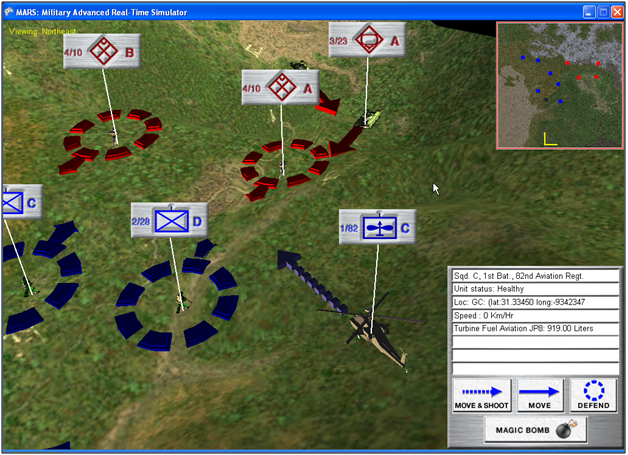
Before I began work on General Staff: Black Powder I had done a project for the US Army called MARS (Military Advanced Real-Time Simulator).

Image from the MARS: Military Advanced Real-Time Simulator feasibility report to the US Army. Screen shot of MARS.

I had used a Microsoft IDE (Integrated Development Environment) called XNA to write MARS in C# and I thought it would be a good environment in which to develop General Staff. XNA, on top of being fairly easy to implement a 3D or 2D game environment, had another interesting advantage: any program created with it was immediately portable to the XBox game console. This dovetailed nicely with my dream of someday bringing wargaming to a larger (and younger) audience.

Consequently, the first version of General Staff – including the Army Editor, Map Editor and Scenario Editor – was written using XNA. I had just begun working on the actual game itself when Microsoft suddenly announced that it was no longer supporting XNA. This, of course, sent shock waves through the XNA game development community.

Since I had already written a great deal of the necessary code in C#, and Windows remained my target audience (Windows makes up >90% of the gaming market) I decided to port (that’s a game development word for rewrite for another environment, but hopefully not rewrite everything) to Microsoft Windows Presentation Foundation (WPF).

I wasn’t thrilled about porting to WPF. First of all, I wasn’t that familiar with it and, secondly, it wasn’t easy (at least for me) to do a lot of the things that needed to be done. The Army Editor was a pretty easy port, but the Map Editor had some very specific, difficult problems having to do with drawing on the screen. Luckily, I found Andy O’Neill, who is a certified expert on WPF. Andy took over and decided to rewrite my code (properly for WPF) and, eventually, the Army Editor, Map Editor and Scenario Editors were completed. If you are an early backer of General Staff: Black Powder you should have these. They are also available for download on Steam.

By this point the General Staff: Black Powder suite of editors had now been rewritten three times for two different environments, but, it was finally completed and in a stable version. I have been using these programs to create numerous scenarios (some of which are already uploaded to Steam).

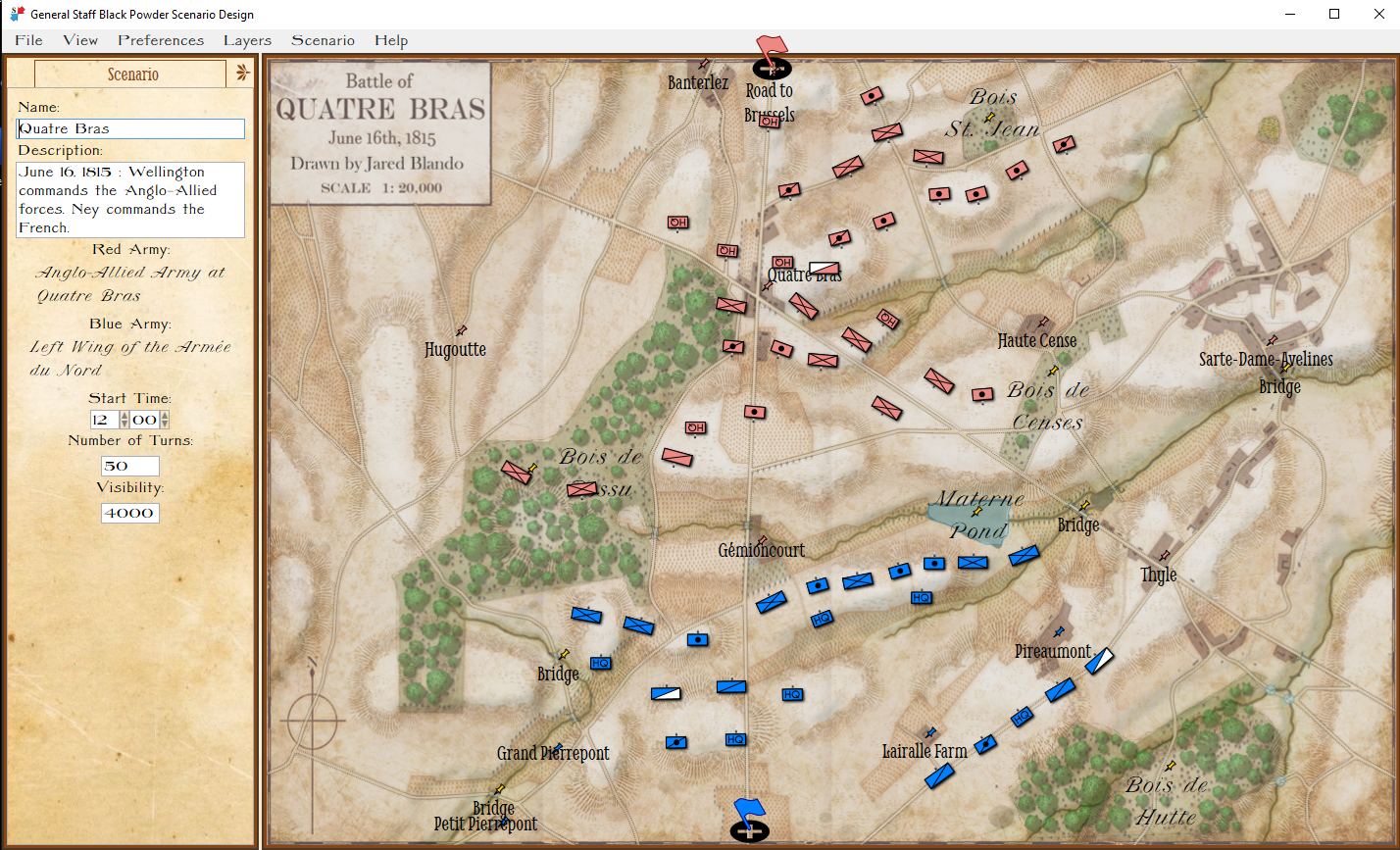
The Quatre Bras scenario in the General Staff: Black Powder Scenario Editor. Screen shot. Click to enlarge.

The last thing to do to complete General Staff: Black Powder was the actual game, or game engine. Usually, this isn’t too hard because about 80% of the code is recycled from the Army, Map and Scenario editors. Unfortunately, I just wasn’t happy with the how the game looked in WPF. WPF is great for creating business apps but it just wasn’t giving me the 19th century Victorian look and feel that I wanted. About this time I discovered that a number of former XNA users had banded together to maintain and expand the original IDE; it was now called MonoGame. I decided to write the General Staff: Black Powder game engine in MonoGame.

I was making pretty good progress, but ran into some problems and asked the MonoGame community for help (by the way, I’ve found the MonoGame community to be a great group for answering newbie questions and generously providing time and solutions). It was on the MonoGame community forum that I met Matthew T. who is an experienced XNA/MonoGame game developer (he has a game on Steam that has sold over 100,000 copies). Matthew, eventually, decided to rewrite large hunks of my MonoGame code (vastly improving it) and then began to add some wonderful debugging features.

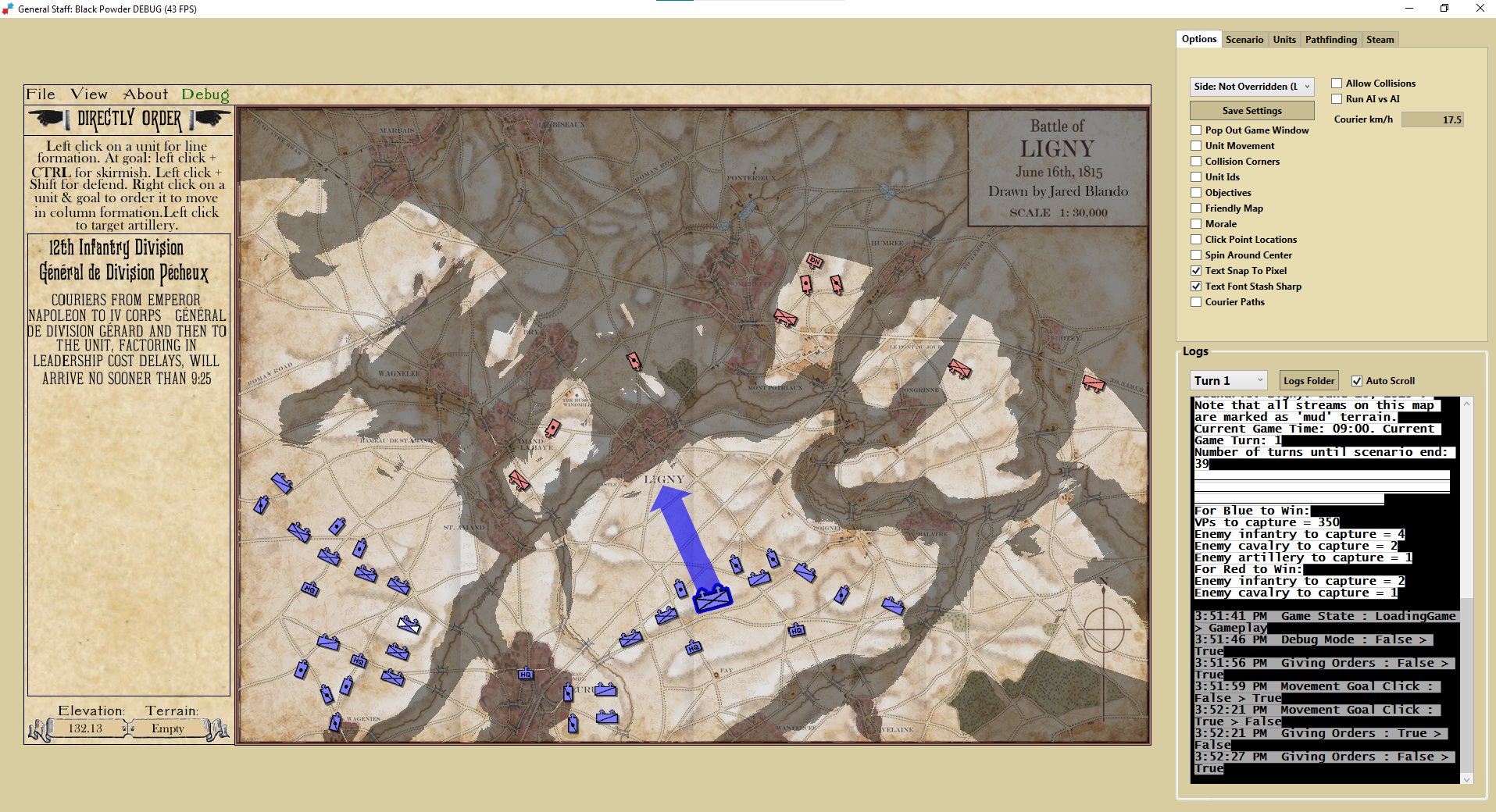
Screen shot of Ligny scenario in General Staff: Black Powder debugger mode. Click to enlarge.

Matthew and Darin Jones also implemented Steam player versus player (PvP) and we’ve done some early playtesting with Matthew in the UK and me in the US playing against each other in real-time (this was an amazing experience and something that I never envisioned that we could pull off).

So, that’s where we are now. We’ve made great progress and we’ve taken far longer to do it than I had hoped or anticipated. A lot of the same code has been written and rewritten for different environments. With 20/20 hindsight I certainly could have managed this a lot better. I think we’re about two months away from a pre-release beta starting with PvP playtesting. This would involve all the early backers who would get new Steam keys.

As always, please feel free to contact me directly with any questions or comments


How to create a scenario tutorial (Brandy Station).

Click on the image below to see a step by step video tutorial of the Army Editor, Map Editor, and Scenario Editor as the battle of Brandy Station (June 9, 1863) is created using the General Staff: Black Powder Battle Designer Bundle.

Early Backers: If you did not get your Steam key please email Support@RiverviewAI.com. Thanks!

General Staff: Black Powder Battle Designer Bundle on Steam

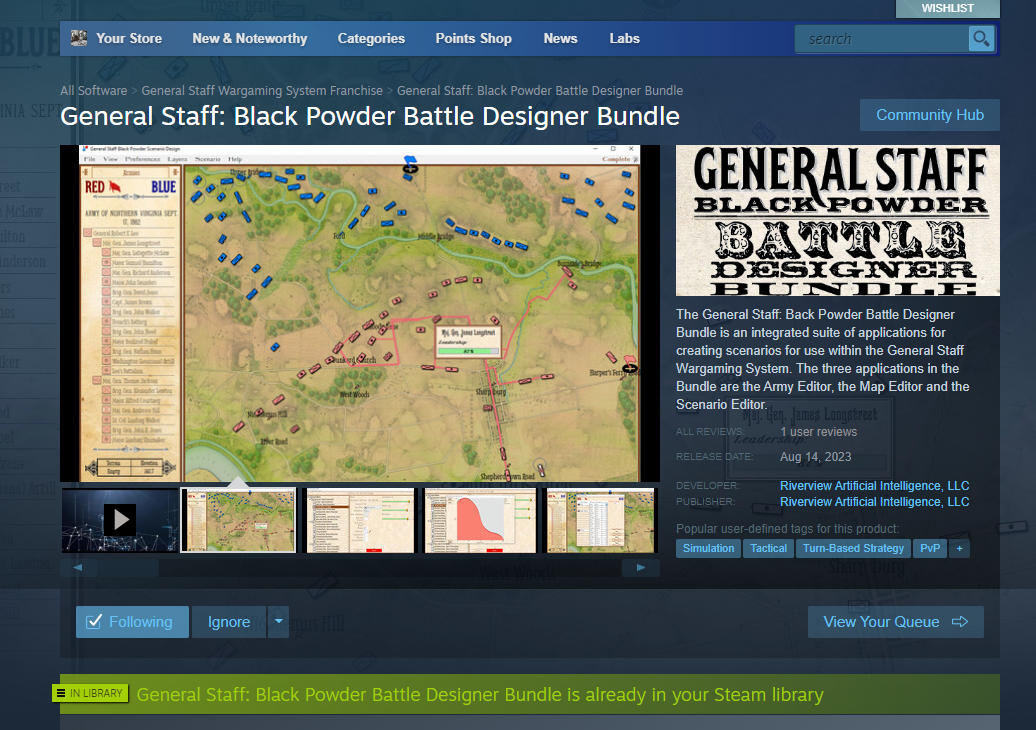
The General Staff: Black Powder Designer Bundle store on Steam. Click on image to go directly to the Steam store.

I am very pleased to announce that the Steam store for General Staff: Black Powder Battle Designer Bundle is now up and active. More importantly, if you are an early backer, you should have received your Steam key to download it by now. If you are an early backer and have not received an email with your Steam key, please contact me directly.

Some important things to know:

The Battle Designer Bundle does not include the actual game! The game is a different install package and, hopefully, will be in beta in the next month or two. If you are an early backer and received a Steam key for the Battle Designer Bundle you will also receive a second Steam key, when available, for the actual game and you will be welcome to participate in beta testing, too.

The Battle Designer Bundle includes everything you need to create your own armies, maps and scenarios for use in the actual game. The Battle Designer Bundle includes the Army Editor, the Map Editor and the Scenario Editor. The Map Editor supports a digitizing tablet (if you’re lucky enough to have one and the talent to use one, I don’t).

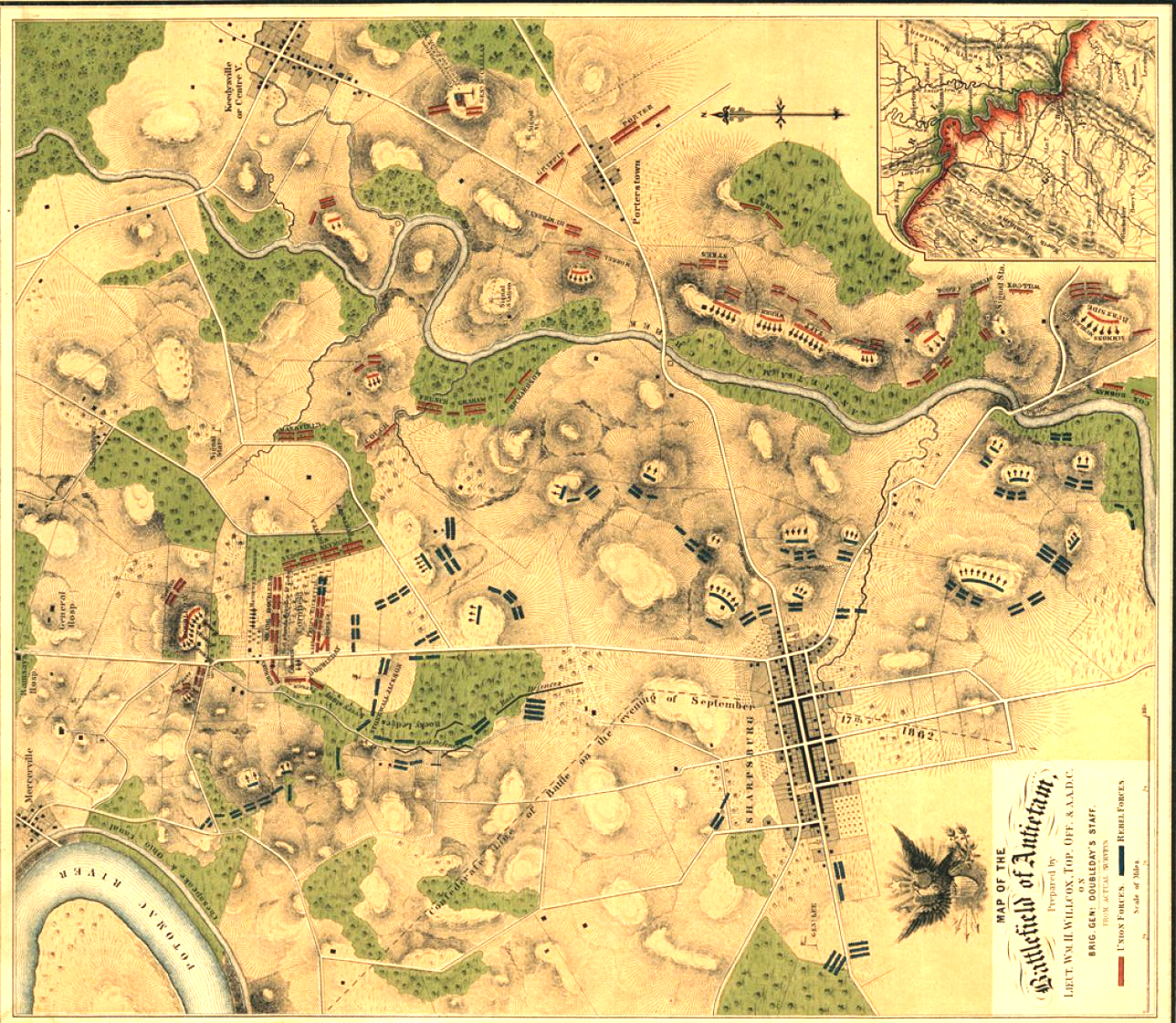
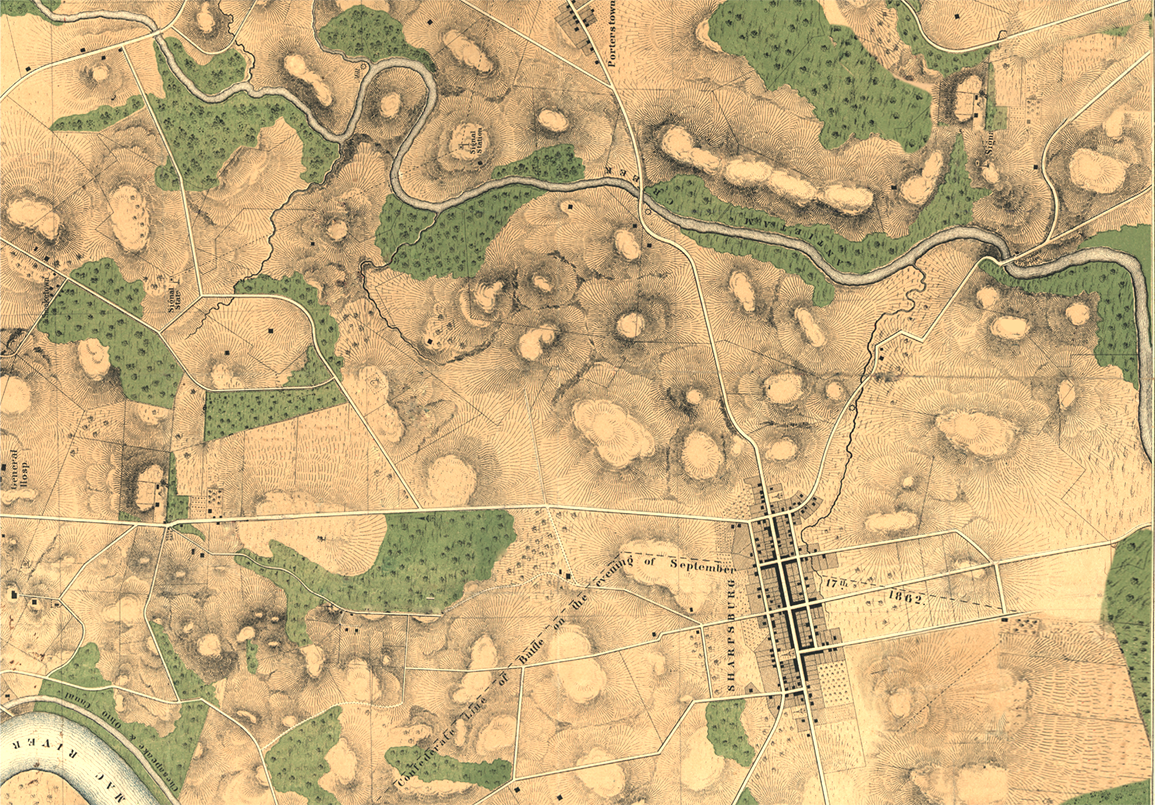
I need your suggestions for a battle that I can use to create video tutorials for the Army, Map and Scenario Editors. If you have suggestions, please contact me directly. However, it’s important to remember that I need a good Order of Battle (OOB) table that includes unit strengths. I also need a good quality map that is at least 1155 x 805 pixels (resolution). If it’s an old battle map, I need somebody to take the time to remove the units from the map. For example, here’s the original map of Antietam from the Library of Congress:

Map of the battle of Antietam from the Library of Congress. Willcox, William H. Map of the battlefield of Antietam. [Philada., Lith. of P. S. Duval & Son, 1862] Map. Click to enlarge.

And here it is after I cleaned it up, removed the units and rotated it 90 degrees:

The Antietam map after I removed all the units, cleaned it up, lightened it and rotated it 90 degrees. Click to enlarge.

I’m looking forward to receiving your scenario suggestions and creating the video tutorials. The tutorials will be posted here and on our YouTube channel.


Testing the MATE 2.0 Artificial Intelligence on the new Antietam Scenario

We’ve just added a video showing the MATE 2.0 tactical artificial intelligence playing Blue (Union Army of the Potomac) against Red (Confederate Army of Northern Virginia) at Antietam. This video also includes an announcement that we’ll be working on getting the Army Editor, Map Editor and Scenario Editor installation packages and keys ready on Steam.